
Why teams choose Ticku
One tool for support, consulting, development and delivery work — built for Microsoft 365 without being locked to it.
What you get
Built for teams that outgrew a shared mailbox
- Four project types
- Support, Consulting, Dev and Epic — each with its own workflow.
- Ticket and task management
- Subjects, tickets and sub-tasks in a list, grid, board or Gantt timeline.
- Email becomes tickets
- One address, one thread, tracked automatically.
- SLA targets and escalation
- Deadlines by priority, with breach alerts.
- Roles built per project
- Lead, member and viewer tiers, with permissions that match how each project actually runs.
- Analytics across projects
- Dashboards for throughput, SLA, and workload.
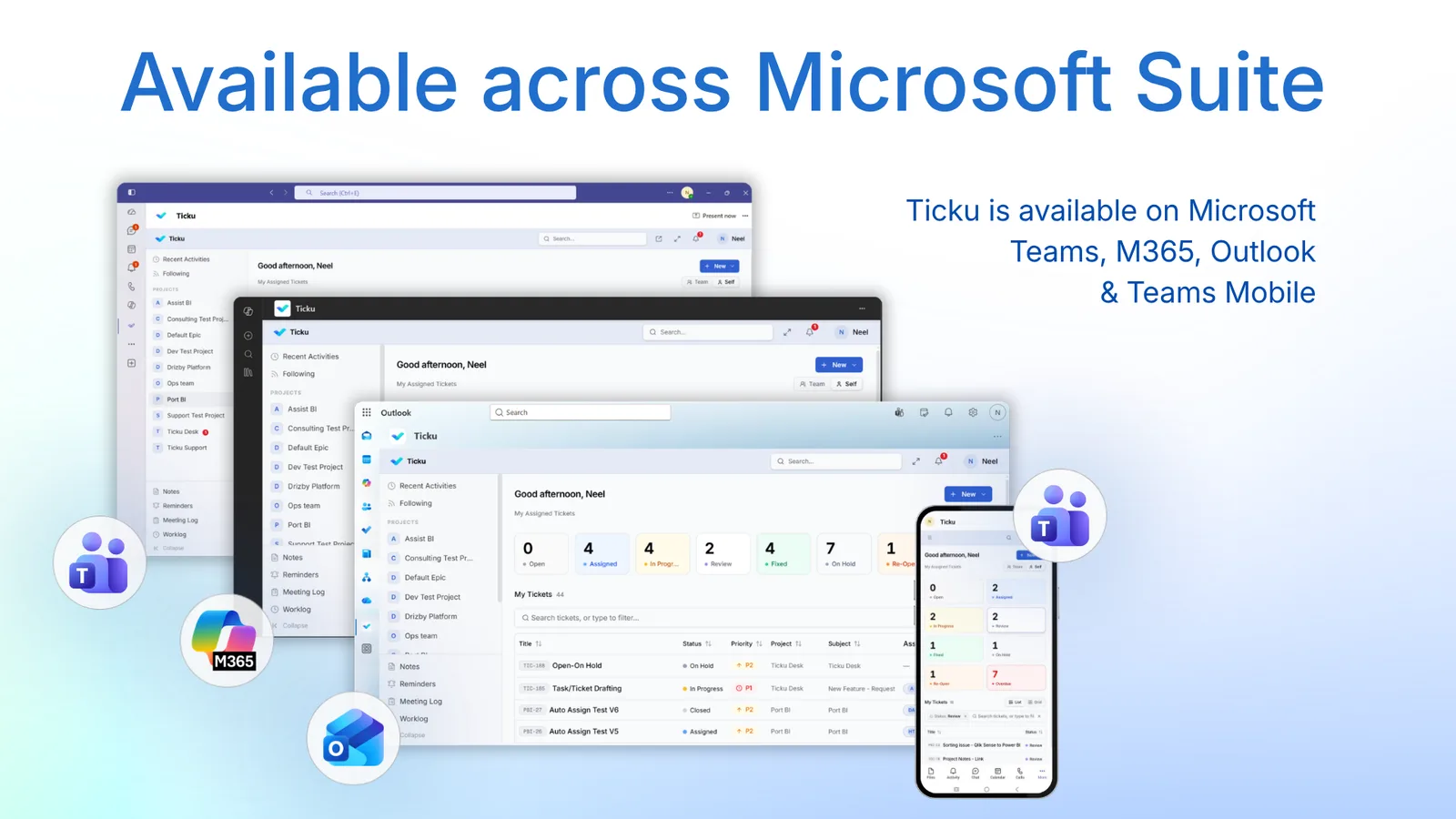
- Works where your team already is
- Teams, Outlook, the Microsoft 365 app, or the web.
- Webhooks from other tools
- Zapier, Make, or your own scripts can open a ticket too.
Where it opens
Six places, one tenant, one set of data
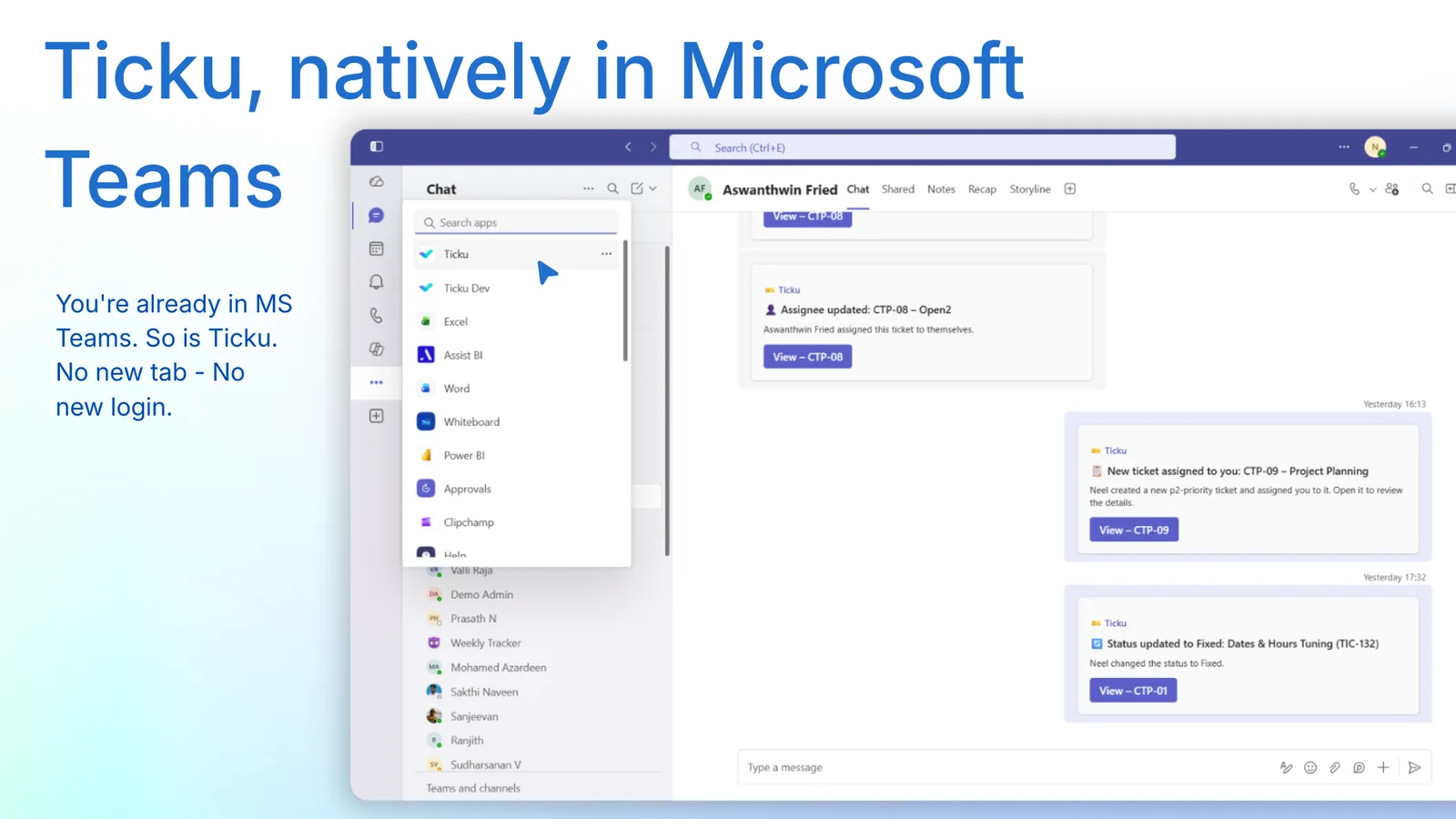
Ticku is not a website your team has to remember to visit. It appears inside the apps that are already open.
- Microsoft Teams
- A tab app on desktop and mobile, with silent single sign-on. No password, no login page, and the theme follows Teams.
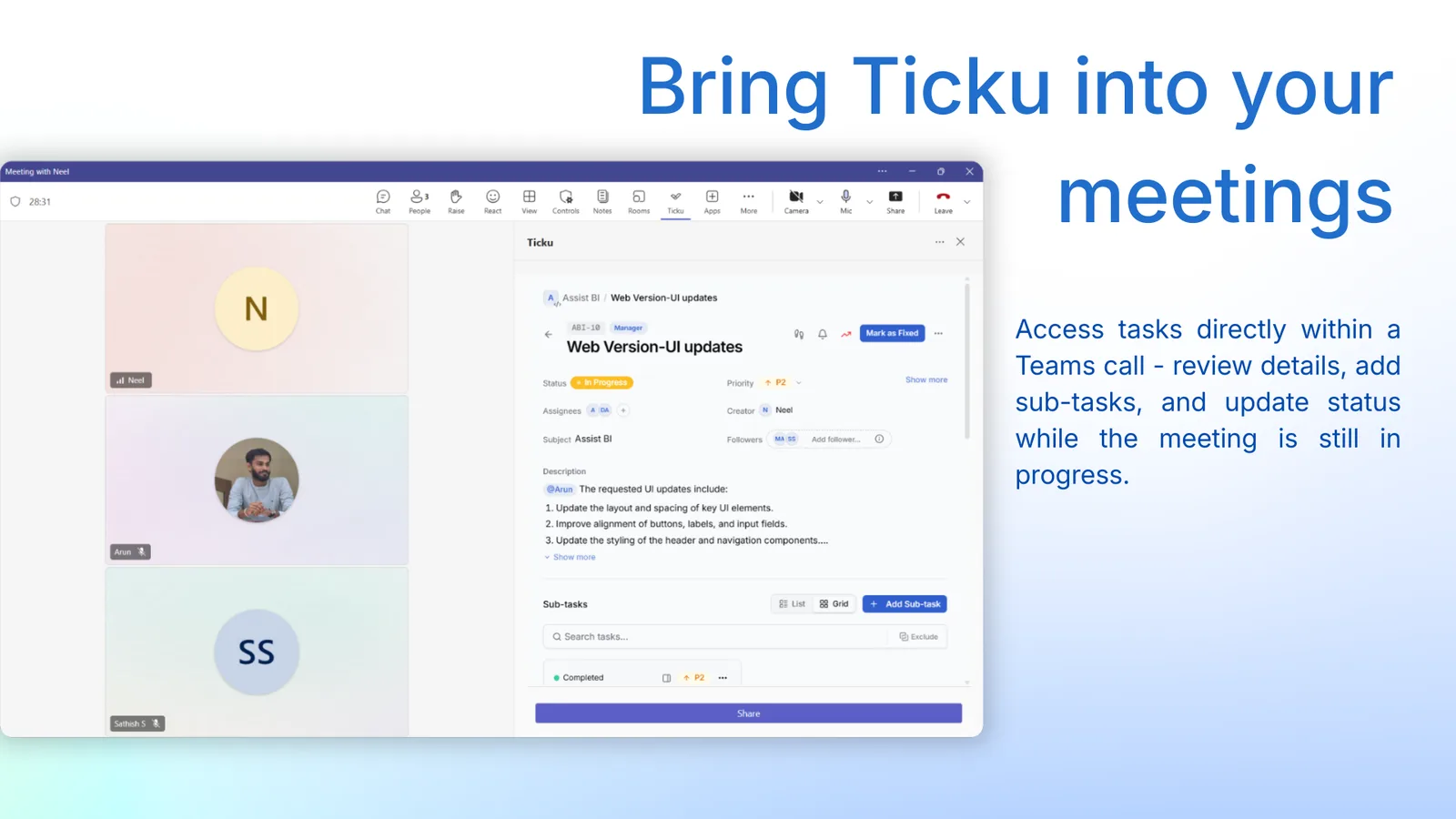
- Teams meetings
- A side-panel in the call itself: review a ticket, add sub-tasks and change status while the meeting is still running.
- Outlook
- Ticku opens beside the mail it came from, so a request becomes a tracked ticket without leaving the inbox.
- The Microsoft 365 app
- Pinned alongside Word, Excel and the rest, for people who start their day in the Microsoft 365 hub rather than in Teams.
- Any web browser
- A full standalone web application — sign in with Microsoft, or with an email address and a one-time code.
- Your customer’s inbox
- Customers who never open Ticku at all still get tracked: their email becomes a ticket, and your reply reaches them as email.
In the meeting
Update the ticket while you are still talking about it
Ticku opens as a side-panel inside a Teams call.
Review the details, add sub-tasks and change status without leaving the call — so the decisions a meeting produces land on the ticket while they are still fresh.
In Outlook
The request is already in your inbox
Most support work arrives as mail, so Ticku opens where the mail is.
Ticku runs beside your messages in Outlook and in the Microsoft 365 app, alongside the rest of the suite. Same tenant, same projects, same permissions — the surface changes, the work does not.
Identity
Two ways in, one identity behind them
Single sign-on inside Teams, and a Microsoft or email sign-in on the web. A person can belong to several organizations and switch between them without signing out.
| Where | How they sign in | What they need |
|---|---|---|
| Microsoft Teams | Silent single sign-on through Teams | Nothing — they are already signed in |
| Outlook and Microsoft 365 | The Microsoft account they are already using | Nothing — they are already signed in |
| Web browser | Microsoft (Entra ID) sign-in | Their existing Microsoft work account |
| Web browser | Email and password with a one-time code | A work email address |
Microsoft Graph
Your support mailbox becomes a queue, in seconds
Microsoft Graph is the only push connection Ticku offers. Graph calls Ticku when mail arrives, rather than Ticku asking every few minutes whether anything showed up.
A customer emails your support address. Ticku opens a ticket in the right project, turns CC'd addresses into followers, and threads every later reply onto that same ticket.
Push delivery needs one tenant-wide consent from an admin. If your security review would rather not grant that, Ticku can connect to a single mailbox instead — the same tickets, checked on a schedule rather than pushed.
Microsoft-native, and open
Built for Microsoft 365 — not locked to it
Microsoft 365 is where Ticku fits most naturally. It is not the only way in.
Few organizations run on one vendor. Ticku reads Gmail, Zoho and on-premises mailboxes over IMAP. It accepts tickets over HTTP from Zapier, Make, monitoring tools and your own scripts. And it runs as a full web app for anyone who doesn’t use Teams. Choosing Microsoft 365 should make Ticku better, not make everything else worse.
To say it plainly: Ticku is not a Microsoft product. It is built by Analytics Aura and integrates with Microsoft Teams, Microsoft 365, Outlook and Microsoft Entra ID — it is not affiliated with or endorsed by Microsoft, and it works just as well outside the Microsoft ecosystem.
Questions
Questions about using Ticku
Where inside Microsoft 365 can people use Ticku?
Can Ticku be used during a Teams meeting?
What permissions does Ticku need in our Microsoft tenant?
Does Ticku store our Microsoft credentials?
Is Ticku a Microsoft product?
Can one person belong to more than one organization?
Evaluate Ticku for 90 days
Register your organization, connect a mailbox, and create your first project. No card, no sales call to get started — start paying when you decide to keep it.
Prefer email? ticku@analyticsaura.com